Camera Configuration Reference
Adding and Editing Cameras
The following actions can be performed from the Devices page:
| Workflow | Stages |
|---|---|
| Add Camera | Search, Control, Video, Snapshot, Confirm |
| Edit Camera | Control, Video, Snapshot, Confirm |
Search Controls
| Control | Function |
|---|---|
| All | Show current VISCA UDP and ONVIF discovery results |
| VISCA (UDP) | Show VISCA UDP results |
| ONVIF | Show ONVIF results |
| NDI | Start and show the separate NDI source search |
| Rescan | Run VISCA UDP and ONVIF discovery again |
| Manual Add | Continue without selecting a discovered result |
Control Fields
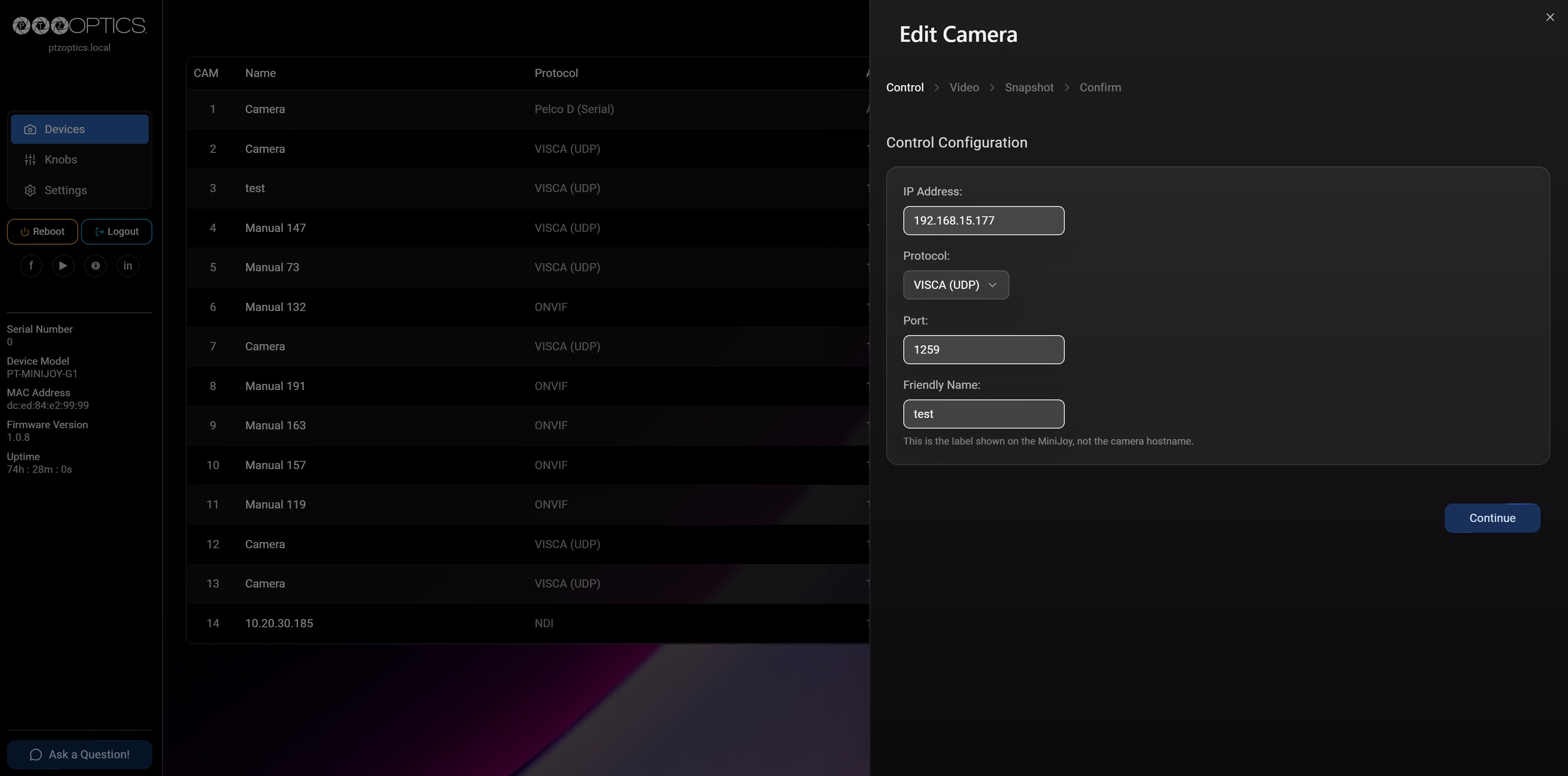
| Field | Availability | Purpose |
|---|---|---|
| IP Address | Network protocols | Camera address used by the selected control method |
| Protocol | All cameras | Camera control method |
| Port | Network protocols that require a port | Camera control port |
| Address | Serial protocols | Camera serial address; the MiniJoy supports addresses 1 through 7 |
| Baudrate | Serial protocols | Serial communication speed; must match the camera |
| Friendly Name | All cameras | Label shown by the MiniJoy; this does not change the camera hostname |
| Username / Password | Applicable network protocols | Credentials used by the selected control service |
| Protocol | Default or Required Configuration |
|---|---|
| ONVIF | Camera address and ONVIF credentials when authentication is enabled |
| NDI | Discovered NDI source |
| VISCA (UDP) | Camera address and port; PTZOptics default port: 1259 |
| VISCA (TCP) | Camera address and port; PTZOptics default port: 5678 |
| VISCA (Serial) | Serial address and matching baud rate |
| Pelco D (Serial) | Serial address and matching baud rate |
| Pelco P (Serial) | Serial address and matching baud rate |
Supported serial baud rates are 2400, 4800, 9600, 19200, 38400, and 115200.
Discovery can populate fields such as the address, port, protocol, and friendly name. Verify all populated values against the camera configuration before saving.
Video Fields
| Method | Fields |
|---|---|
| NDI | Stream |
| ONVIF | Stream, and optional Username / Password |
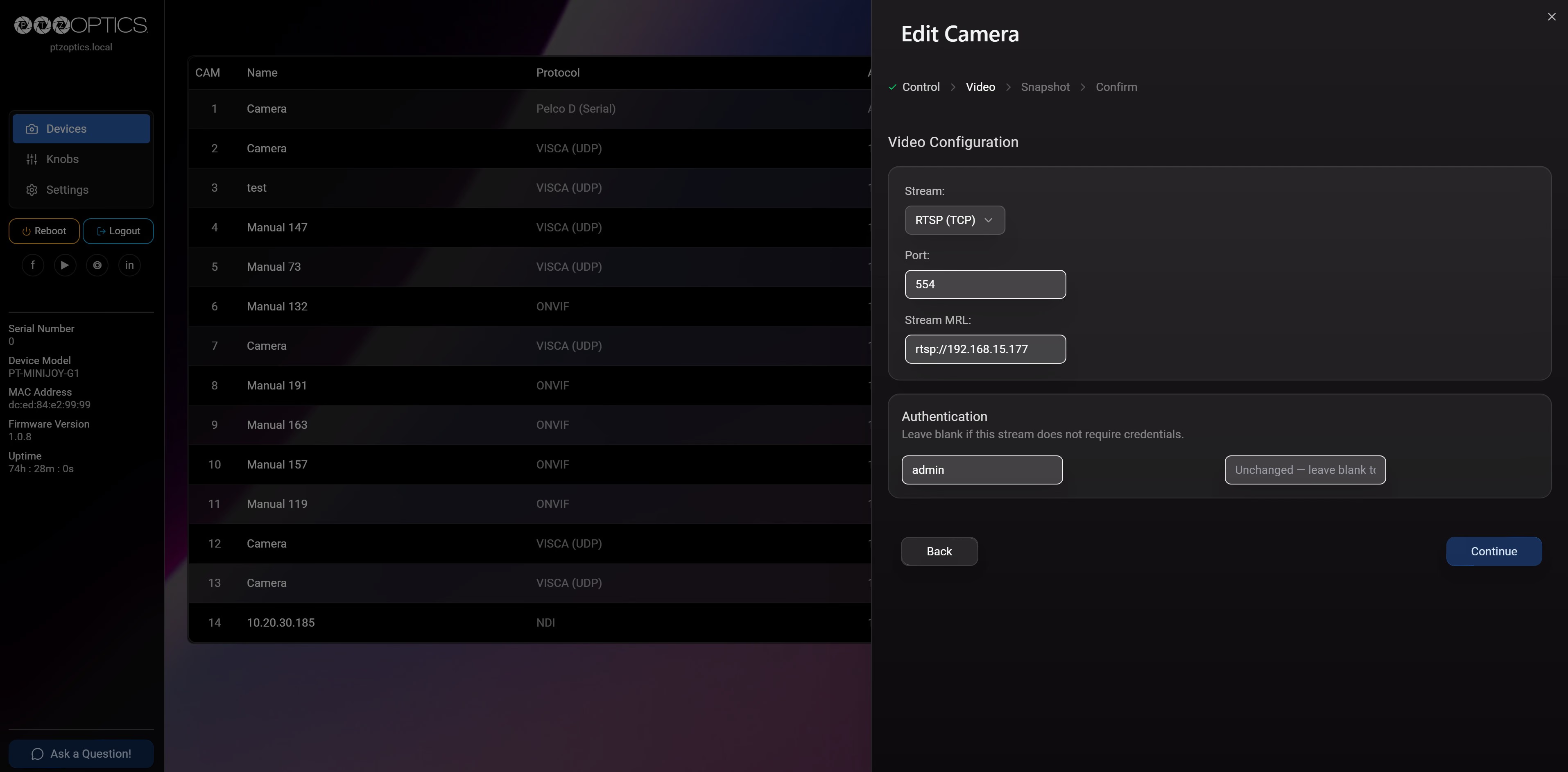
| RTSP (TCP) | Stream, Port, Stream MRL, and optional Username / Password |
| RTSP (UDP) | Stream, Port, Stream MRL, and optional Username / Password |
For RTSP, Port defaults to 554. Stream MRL is the complete media resource locator used
to open the stream, such as rtsp://192.168.15.138. Include any camera-specific stream path
required after the address.
Snapshot Fields
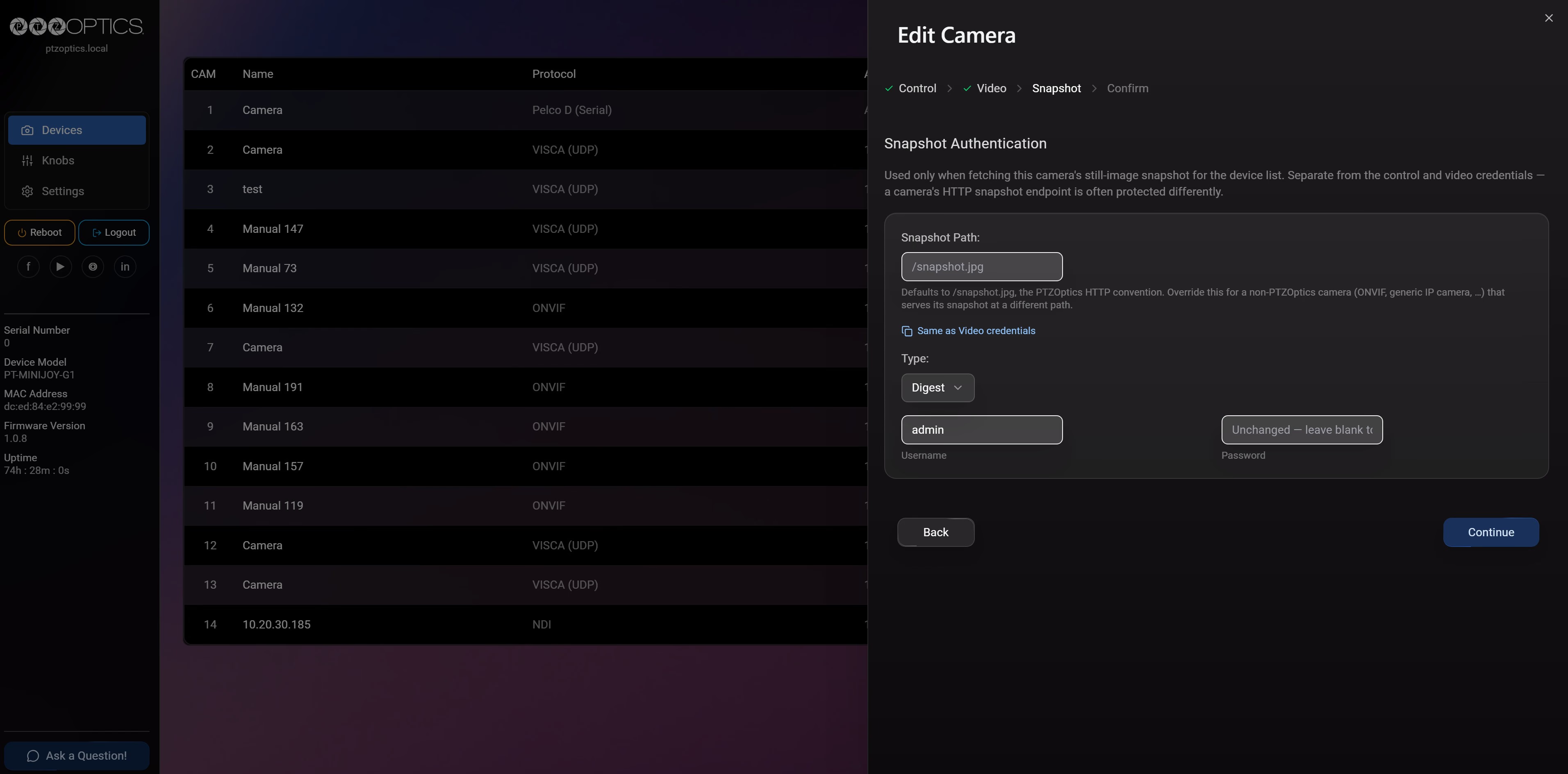
| Field | Purpose |
|---|---|
| Snapshot Path | Camera still-image path; the default is /snapshot.jpg |
| Type | None, Basic, Digest, or Bearer authentication |
| Username | Snapshot-endpoint username when required |
| Password | Snapshot-endpoint credential when required |
Snapshot authentication is separate from credentials entered in Control or Video.
Confirm
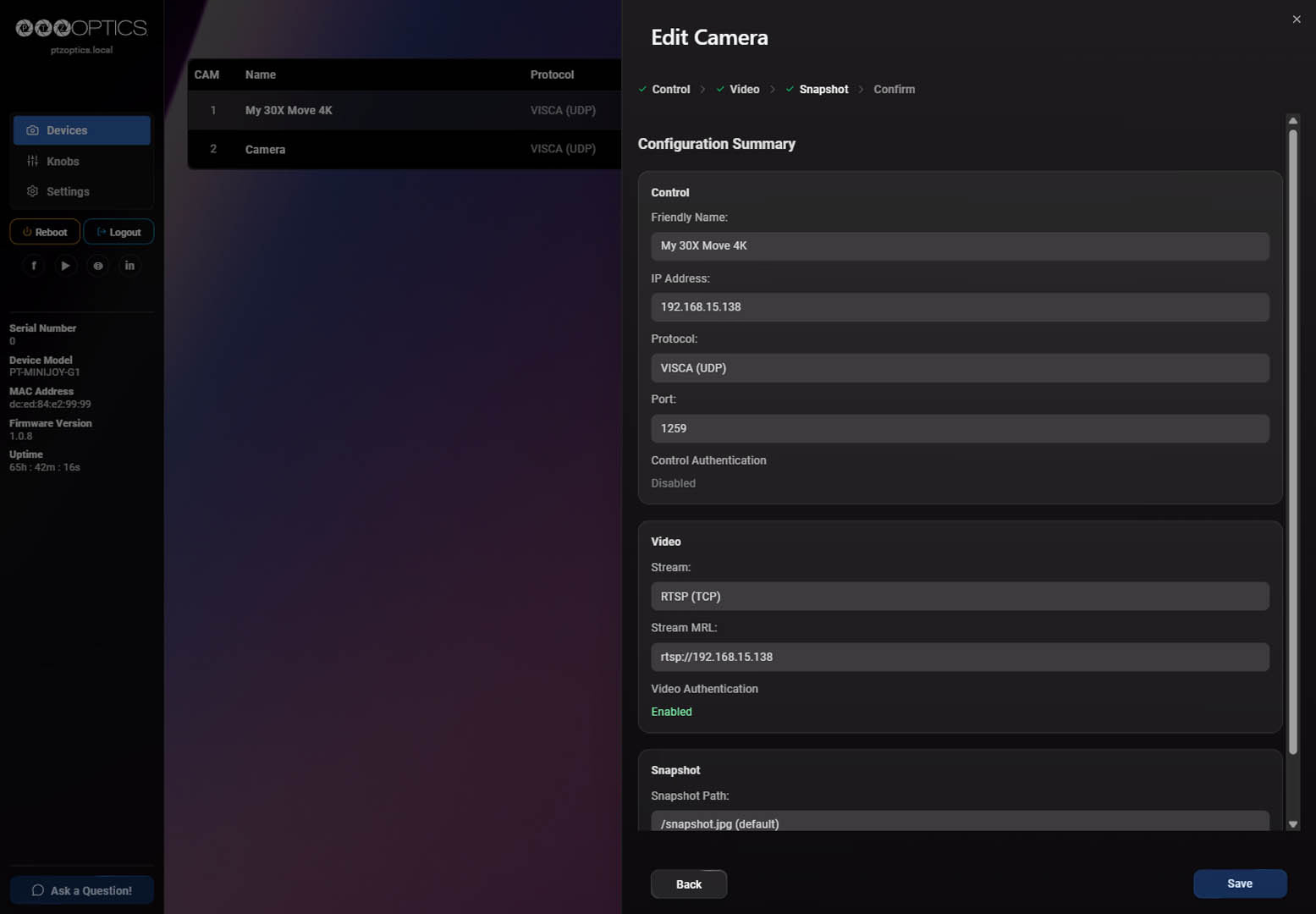
The Confirm stage summarizes:
- Friendly Name, IP Address, Protocol, Port, and Control Authentication status
- Stream, Stream Quality when applicable, and Video Authentication status
- Snapshot Path and Snapshot Authentication type
Review the summary, then select Save to apply the configuration.
Camera Authentication
Credentials can appear in more than one workflow stage because they protect different camera services. Do not assume that one set of credentials applies to every stage.
Control Credentials
When shown, the username and password in Control are used by the selected network control method. ONVIF credentials can be left blank only when the camera's ONVIF service does not require them.
Video Credentials
When shown, the username and password in Video are used to obtain the selected video source or stream. Leave them blank only when that camera service does not require authentication.
Snapshot Authentication
| Type | Use |
|---|---|
| None | Send no authentication; use only when the snapshot endpoint requires none. |
| Basic | Send Basic HTTP authentication. |
| Digest | Use HTTP challenge-response authentication. PTZOptics cameras expect Digest authentication. Sending Basic authentication when Digest is required will return a 401 error. |
| Bearer | Use token-based HTTP authentication as required by the camera. |
Consult the camera documentation or administrator for the required method and credentials.