Configuring the Knobs
The MiniJoy provides six knob pages. Each page stores one assignment for each of the four physical knobs.
Select a Page
- Select Knobs.
- Use the Page selector to choose Page 1 through Page 6.
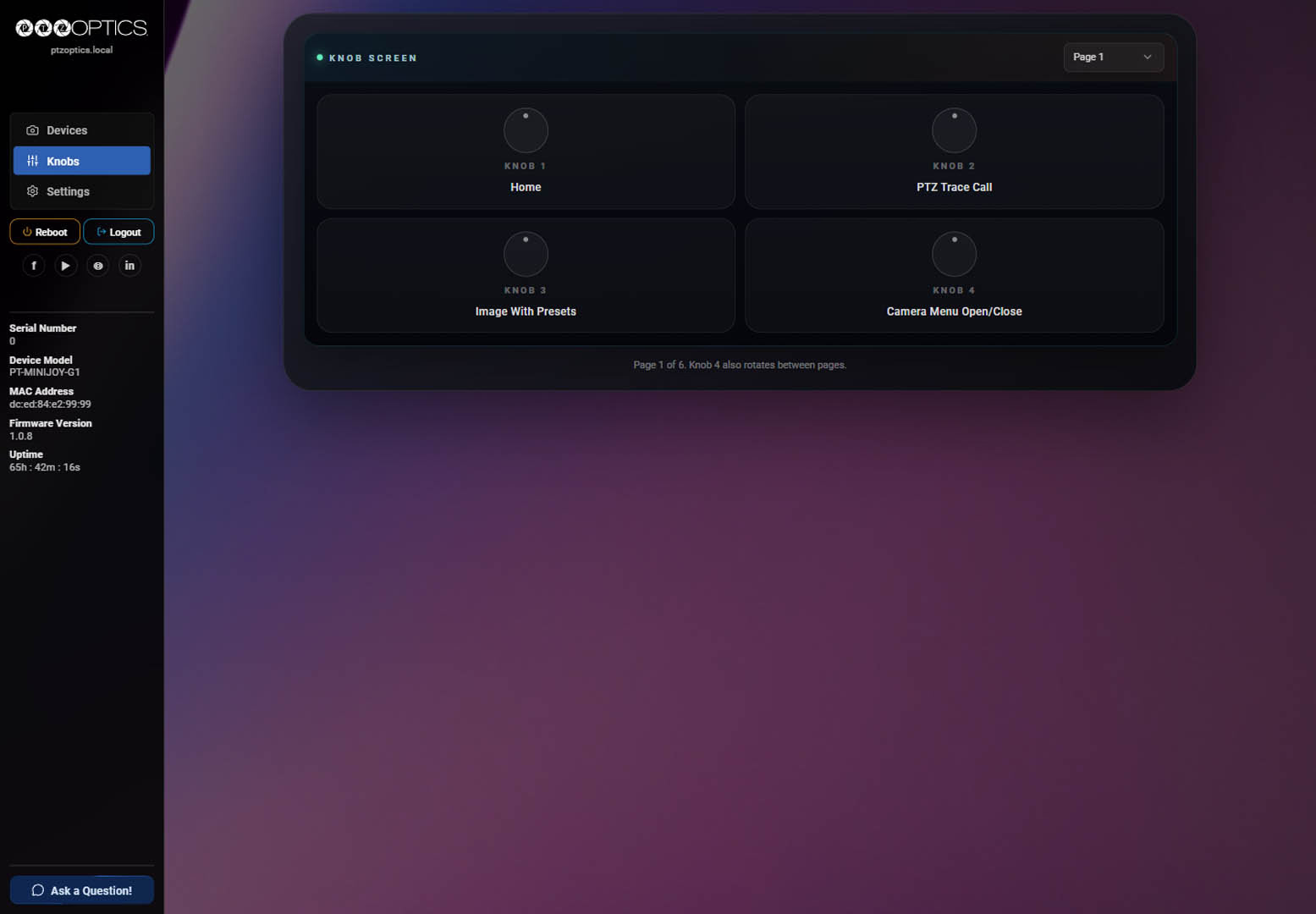
The labels below each knob show the functions currently saved on the selected page.
Changing Knob Functions
- Select any knob tile on the current page.
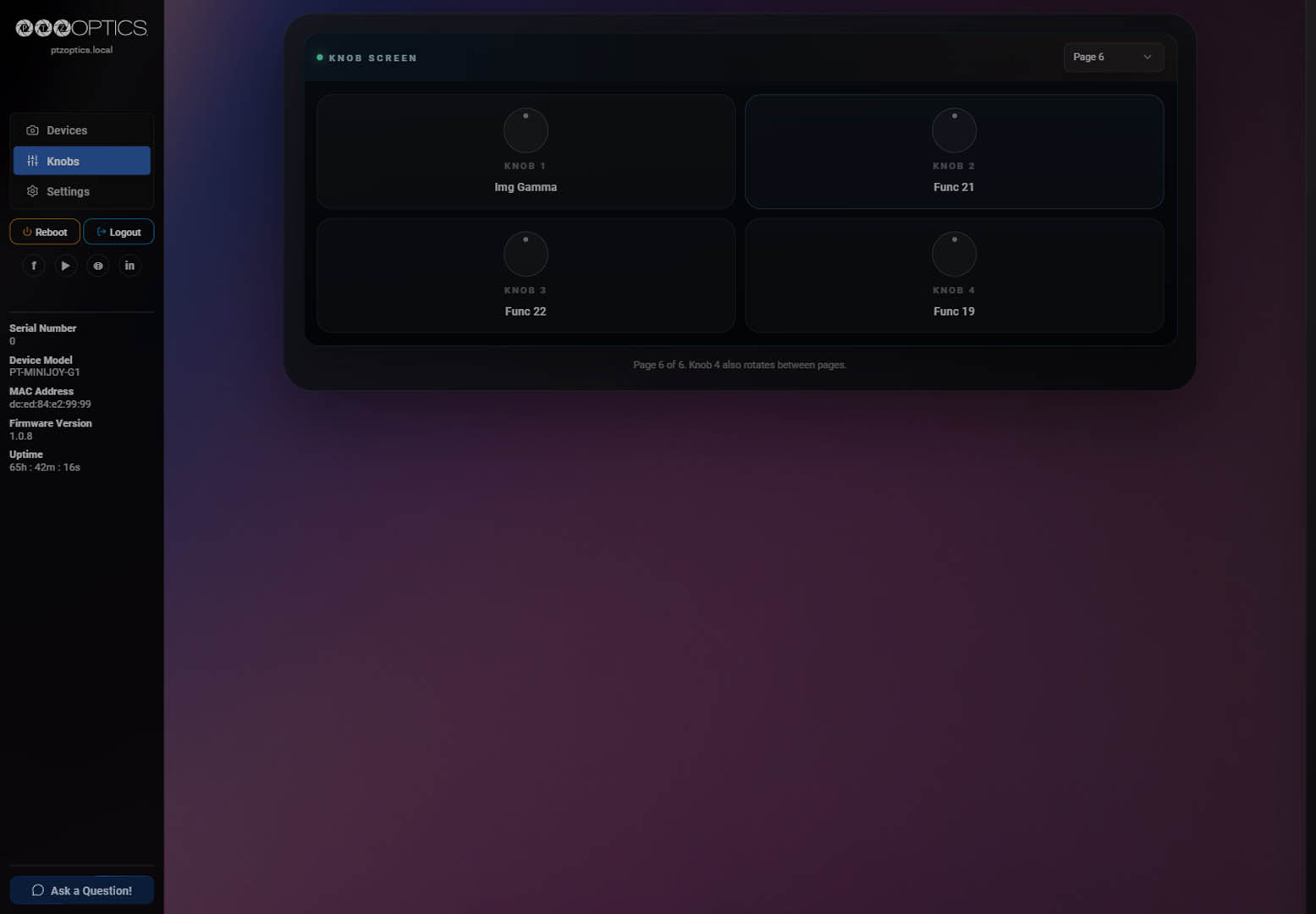
- In the configuration drawer, select an assignment for Knob 1, Knob 2, Knob 3, and Knob 4.
- Select Save all knobs to save all four assignments for the current page.
- Select another page and repeat as needed.
Verify the Page
After saving, close the drawer and reopen the same page. Confirm that all four tile labels match the intended assignments. Configure and verify each page independently.
The labels shown in the screenshots are example assignments, not factory defaults.
Knob Functions Reference
Knobs 1-3 support both rotate and press functions. During normal camera operation, Knob 4 supports press functions only because rotating it changes knob pages. The Knob 4 column shows which functions can be assigned to it.
Knobs 1-3
| # | Function | Interaction | Knob 4 | Description |
|---|---|---|---|---|
| 1 | PT Speed | Rotate | No | Adjusts the camera's pan and tilt movement speed. |
| 2 | Zoom Speed | Rotate | No | Adjusts the camera's zoom movement speed. |
| 3 | Focus Speed | Rotate | No | Adjusts the camera's manual focus movement speed. |
| 4 | Exp Iris | Rotate | No | Adjusts the lens aperture and the amount of light reaching the image sensor. |
| 5 | Exp Shutter | Rotate | No | Adjusts how long each video frame is exposed to light. |
| 6 | Exp Gain | Rotate | No | Adjusts electronic image-signal amplification and brightness. |
| 7 | Exp Mode | Press | Yes | Cycles through the camera's exposure modes. |
| 8 | WB RGain | Rotate | No | Adjusts the red channel gain for manual white balance. |
| 9 | WB BGain | Rotate | No | Adjusts the blue channel gain for manual white balance. |
| 10 | WB One Push Trigger | Press | Yes | Performs a one-push white balance adjustment. |
| 11 | WB Mode | Press | Yes | Cycles through the camera's white balance modes. |
| 12 | Exp Gain Limit | Rotate | No | Sets the maximum gain the camera can apply in low light. |
| 13 | Exp Compensation | Rotate | No | Adjusts the target brightness used by automatic exposure. |
| 14 | Exp Backlight | Press | Yes | Toggles backlight compensation for a subject against a bright background. |
| 15 | Img Gamma | Press | Yes | Cycles through the camera's gamma correction settings. |
| 16 | Exp Anti-Flicker | Press | Yes | Cycles through anti-flicker settings for artificial lighting. |
| 17 | PTZ Reset | Press | Yes | Resets the camera's pan, tilt, and zoom mechanism. |
| 18 | PTZ Trace Record | Press | Yes | Records a custom pan, tilt, and zoom movement to a selected preset. |
| 19 | PTZ Trace Call | Press | Yes | Plays the PTZ Trace stored in a selected preset. |
| 20 | PTZ Trace Delete | Press | Yes | Deletes the PTZ Trace stored in a selected preset. |
| 21 | Camera | Press | Yes | Activates camera selection mode. |
| 22 | Camera Select | Rotate | No | Selects which configured camera the controller operates. |
| 23 | Toggle Auto Tracking | Press | Yes | Enables or disables the selected camera's auto-tracking mode. |
| 24 | Auto Tracking Subject Select | Rotate | No | Selects the subject for the camera to track. |
| 25 | Snap Focus | Press | Yes | Refocuses the image once while keeping the camera in manual focus mode. |
| 26 | Standby | Press | Yes | Toggles the selected camera between active and standby modes. |
| 27 | Manual/Auto Focus | Press | Yes | Toggles the selected camera between manual and automatic focus. |
| 28 | Focus Lock/Unlock | Press | Yes | Locks focus at its current position or restores autofocus operation. |
| 29 | Focus Zone | Press | Yes | Cycles through the regions used for autofocus detection. |
| 30 | Image With Presets | Press | Yes | Toggles whether image settings are stored and recalled with presets. |
| 31 | Preset Recall | Press | Yes | Recalls the selected camera preset. |
| 32 | Home | Press | Yes | Returns the selected camera to its home position. |
| 33 | Privacy Mode | Press | Yes | Toggles privacy mode, which points the camera down and disables video. |
| 34 | Image Luminance | Rotate | No | Adjusts the overall brightness of the processed image. |
| 35 | Image Contrast | Rotate | No | Adjusts the difference between the darkest and brightest image areas. |
| 36 | Image Sharpness | Rotate | No | Adjusts edge enhancement and perceived image detail. |
| 37 | Exp One Push Trigger | Press | Yes | Performs a one-push automatic exposure adjustment. |
| 38 | WB RTuning | Rotate | No | Fine-tunes the red component of the calculated white balance. |
| 39 | WB BTuning | Rotate | No | Fine-tunes the blue component of the calculated white balance. |
| 40 | WB Hue | Rotate | No | Adjusts the overall color tint of the image. |
| 41 | WB Saturation | Rotate | No | Adjusts the intensity of colors in the image. |
| 42 | WB Color Temp | Rotate | No | Adjusts the white balance color temperature. |
| 43 | RTMP Stream 1 | Press | Yes | Starts or stops RTMP Stream 1. |
| 44 | RTMP Stream 2 | Press | Yes | Starts or stops RTMP Stream 2. |
| 45 | Camera Menu Open/Close | Press | Yes | Opens or closes the selected camera's OSD menu. |
| 46 | Camera Menu Back | Press | Yes | Returns to the previous level of the selected camera's OSD menu. |
Knob 4
During normal camera operation, rotate Knob 4 to change knob pages and press it to activate its assigned function. While the MiniJoy OSD is open, rotate Knob 4 to navigate and press it to select the highlighted menu item.