NDI Settings
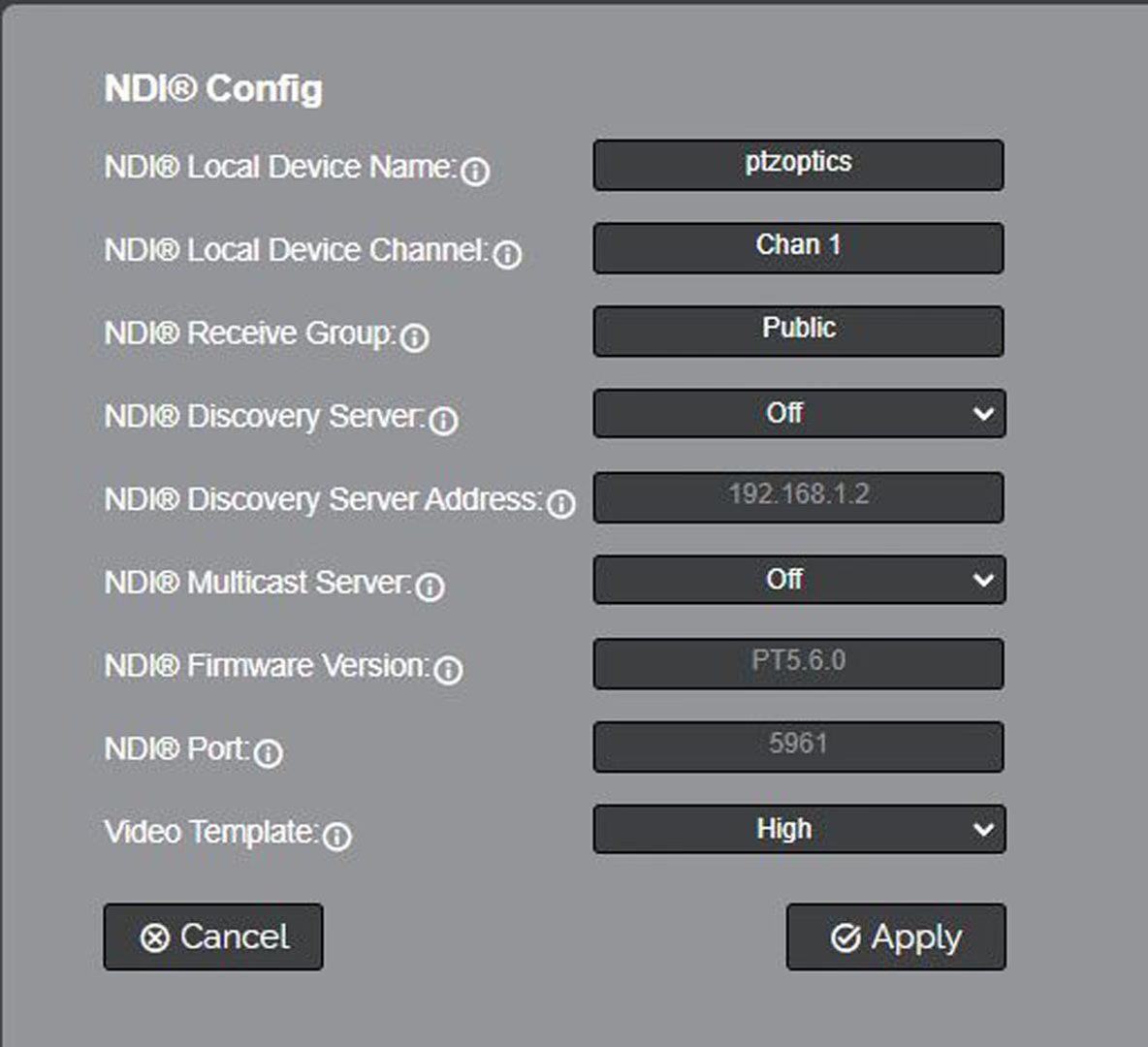
This tab access the camera’s configurable NDI settings.
- NDI Local Device Name: The name you assign your camera.
- NDI Local Device Channel: The video feed you assign to the camera.
- NDI Receive Group: Decide which NDI devices your network can view the NDI sources. The camera and computer must be part of the same group.
- NDI Discovery Server: Toggles On or Off. This handles discovering and distributing NDI sources more reliably across your network.
- NDI Discovery Server Address: Define the IP Address for the Discovery Server.
- NDI Multicast Server: Toggles On or Off. This allows the camera’s NDI feed to be viewed by multiple NDI devices. Do not use this unless your network is configured for multicast.
- NDI Firmware Version: The NDI firmware version currently running on the camera.
- NDI Port: Defaulted at 5961. This port is how you reach the NDI feed of your camera.
- Video Template: This alters the corresponding settings on the Audio & Video Settings Page.
The NDI Settings page configures NDI (Network Device Interface) output on the SimplTrack3. NDI enables low-latency, high-quality video transport over standard gigabit Ethernet without additional hardware.
Dual NDI Channels
The SimplTrack3 is unique in providing two independent NDI channels, PTZ and REF. This allows NDI-based production systems to receive both the tracked PTZ output and the wide-angle reference view simultaneously for switching, monitoring, or recording.
NDI Settings
The SimplTrack3 exposes two NDI channels, one for the PTZ camera and one for the Reference camera.
| Setting | Options | Description |
|---|---|---|
| NDI Enable | Off / On | Enables or disables NDI output from the camera. Enabled by default. |
| NDI Local Device Name | Text | The name your camera advertises on the NDI network (e.g., ST3-123). This is how the camera appears in NDI-compatible software and hardware. This mirrors the Device ID and can be edited from this page or the System Settings. |
| NDI Local Device Channel (PTZ) | Text | The channel name for the PTZ camera's NDI output (default: PTZ) |
| NDI Local Device Channel (REF) | Text | The channel name for the Reference camera's NDI output (default: REF) |
| NDI Receive Group | Text | NDI receive group for filtering discovery (default: Public). Devices in different receive groups will not see each other. |
| NDI Discovery Server | Off / On | When enabled, the camera registers with a centralized NDI Discovery Server instead of using mDNS broadcast discovery. |
| NDI Discovery Server Addr. | IP address | IP address of your NDI Discovery Server. Only editable when NDI Discovery Server is set to On. |
| NDI Multicast | Off / On | When enabled, NDI output is sent via multicast instead of unicast. Useful for sending the same stream to multiple receivers. |
| NDI Firmware Version | Read-only | Displays the version of the NDI firmware module (e.g., 5.0.8) |
| NDI Port | Read-only | The port used for NDI communication (default: 5963) |
| Video Template | Low, Medium, High | Sets the NDI encoding quality. High produces the best quality at higher bandwidth. Low reduces bandwidth for constrained networks. |
Click Apply to save changes. Click Refresh to reload the current values.
For most installations, leaving NDI Discovery Server set to Off and using the default mDNS discovery is sufficient. Enable a Discovery Server only in large or segmented network environments where mDNS broadcast does not reach all NDI receivers.