Output: Audio
Output > Audio configures audio encoding, physical XLR / line-in / USB audio inputs, phantom power, and analog line-out decoding on one page. Applying changes on this page may require a camera reboot for all settings to take effect.
To include or mute encoded audio on individual RTMP streams, use the Include Audio switches on the RTMP tab in Output: AVoIP.
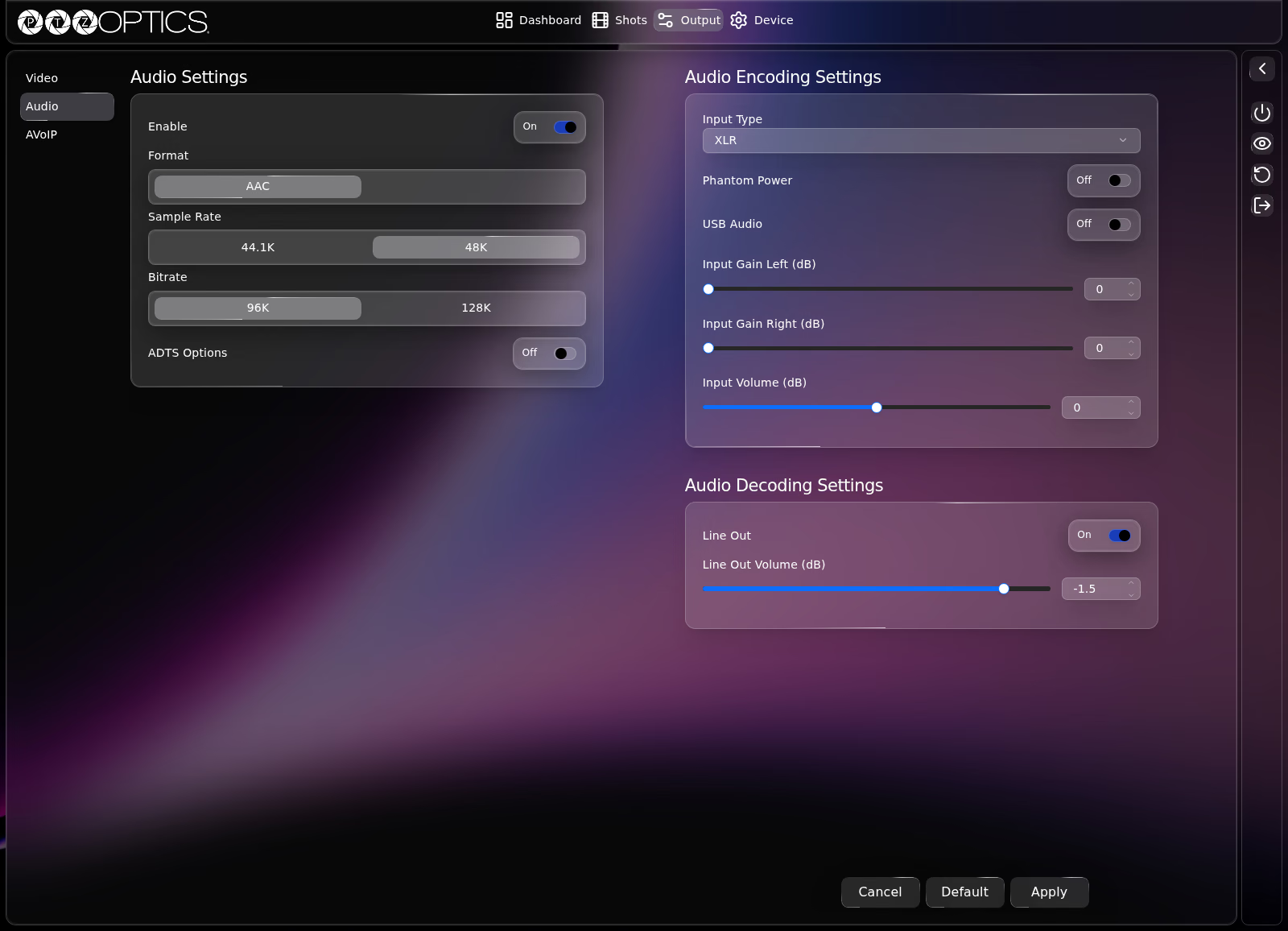
Audio Settings
| Setting | Control | Options |
|---|---|---|
| Enable | Switch | On, Off |
| Format | Segmented buttons | AAC |
| Sample Rate | Segmented buttons | 44.1K, 48K |
| Bitrate | Segmented buttons | 96K, 128K |
| ADTS Options | Switch | On, Off |
Audio Encoding Settings
Check connected audio equipment before enabling phantom power
Verify whether your microphone, mixer, or audio interface supports phantom power before setting Phantom Power to On. Applying phantom power to incompatible unbalanced or line-level sources can damage equipment.
| Setting | Control | Range or Options |
|---|---|---|
| Input Type | Dropdown | XLR, Microphone, Line In |
| Phantom Power | Switch | On, Off |
| USB Audio | Switch | On, Off |
| Input Gain Left (dB) | Slider with number field | 0 to 24 dB in 3 dB steps |
| Input Gain Right (dB) | Slider with number field | 0 to 24 dB in 3 dB steps |
| Input Volume (dB) | Slider with number field | -20 to 20 dB in 1 dB steps |
Audio Decoding Settings
| Setting | Control | Range or Options |
|---|---|---|
| Line Out | Switch | On, Off |
| Line Out Volume (dB) | Slider with number field | -45 to 4.5 dB in 1.5 dB steps |