Image Settings
The Image Settings drawer adjusts picture quality, exposure, white balance, and image orientation while you watch the live video preview. Open or close it with Image Settings under Quick Tools on the Dashboard. For guidance on room lighting and camera tuning concepts, see Adjusting Image Settings.
All adjustments in the drawer apply to the camera in real time without an Apply button. Note that if a field contains an invalid value, Horizon asks you to fix it before closing the drawer or navigating away.
Export, Import, and Reset Image Settings
Controls at the top and bottom of the Image Settings drawer let you back up, transfer, or reset settings:
| Control | Location | Behavior |
|---|---|---|
| Upload Image Settings (upward arrow icon) | Top right of drawer | Opens a file picker to import a .json image settings file and apply its values to the camera. |
| Download Image Settings (downward arrow icon) | Top right of drawer | Exports the camera's current image, exposure, color, and advanced settings—including controls hidden by the currently active mode—to [camera-address]-image-settings.json so you can restore or copy a complete profile later. |
| Default | Bottom of each tab | Resets the controls on the active tab (Image, Exposure, Color, or Advanced) to their factory defaults. |
Image Tab
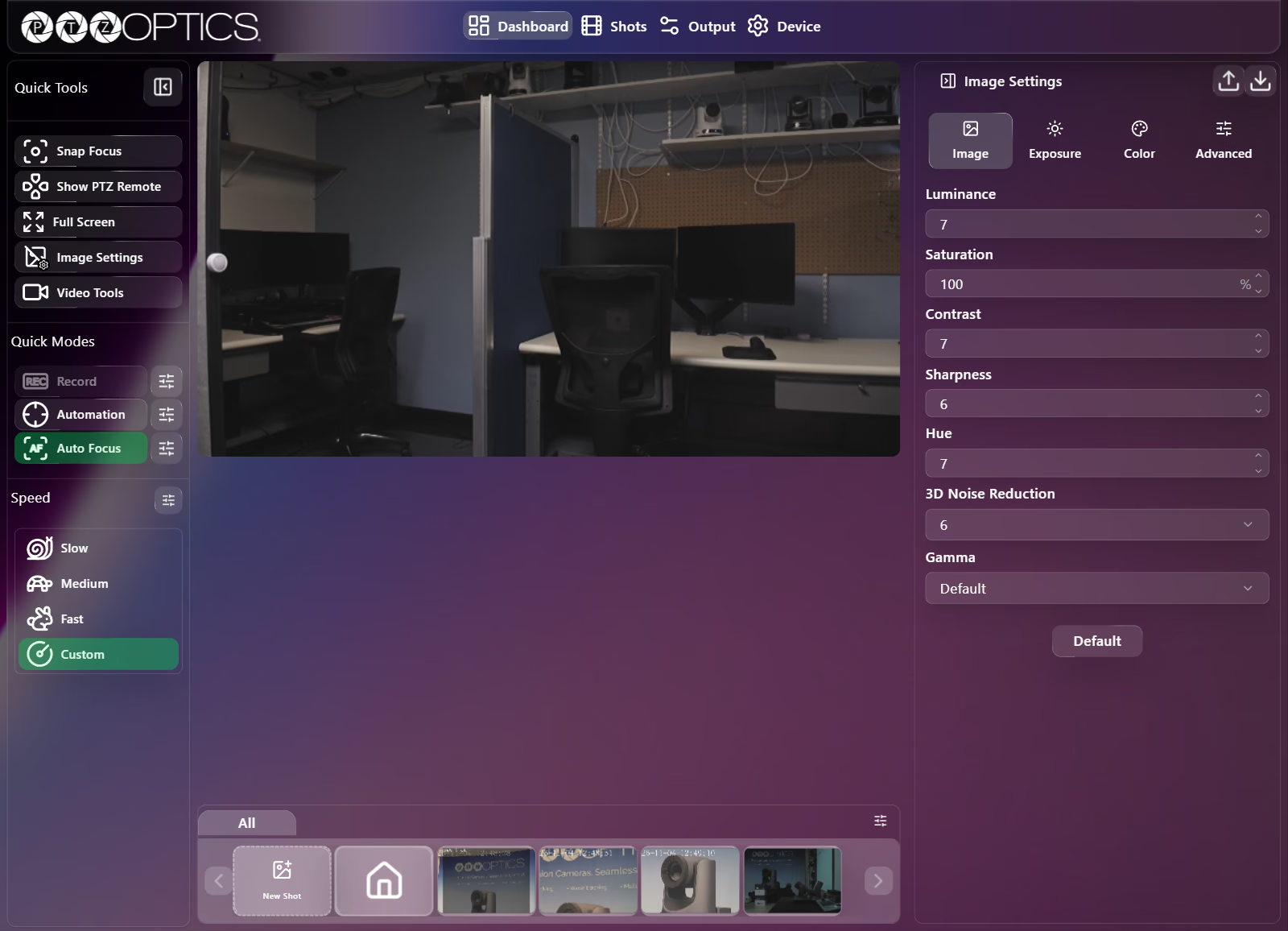
| Setting | Control | Range or Options |
|---|---|---|
| Luminance | Slider with number field | 0 to 14 |
| Saturation | Slider with number field | 60 to 200 (%) |
| Contrast | Slider with number field | 0 to 14 |
| Sharpness | Slider with number field | 0 to 11 |
| Hue | Slider with number field | 0 to 14 |
| 3D Noise Reduction | Dropdown | Off, 1 to 8, Auto |
| Gamma | Dropdown | Default, 0.45, 0.5, 0.56, EXT, PC |
Exposure Tab
Exposure Modes
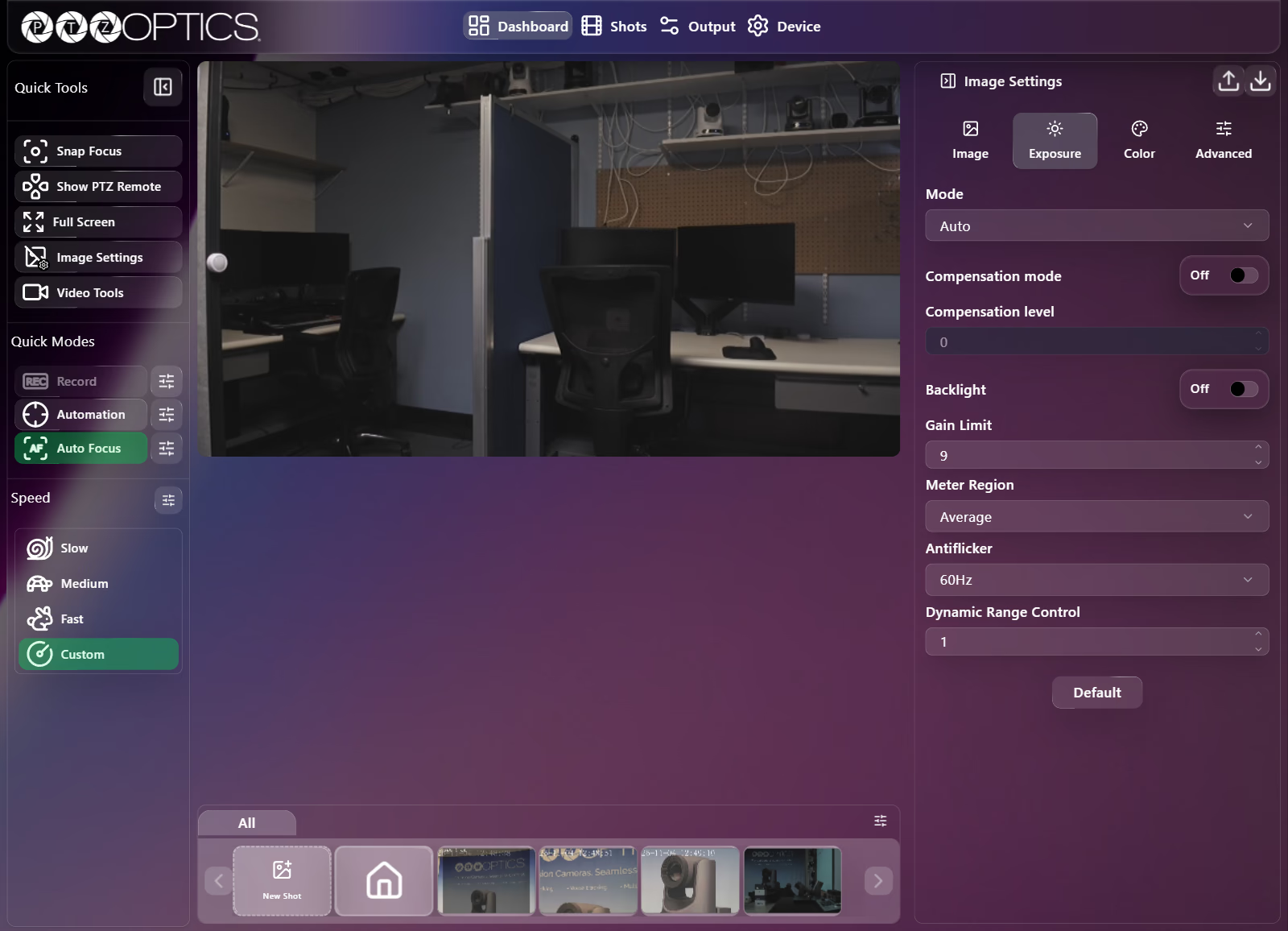
The Mode dropdown determines which exposure parameters the camera manages automatically and which controls appear below it:
| Mode | Controls Shown |
|---|---|
Auto | Compensation mode, Compensation level, Backlight, Gain Limit, Meter Region, Antiflicker, Dynamic Range Control |
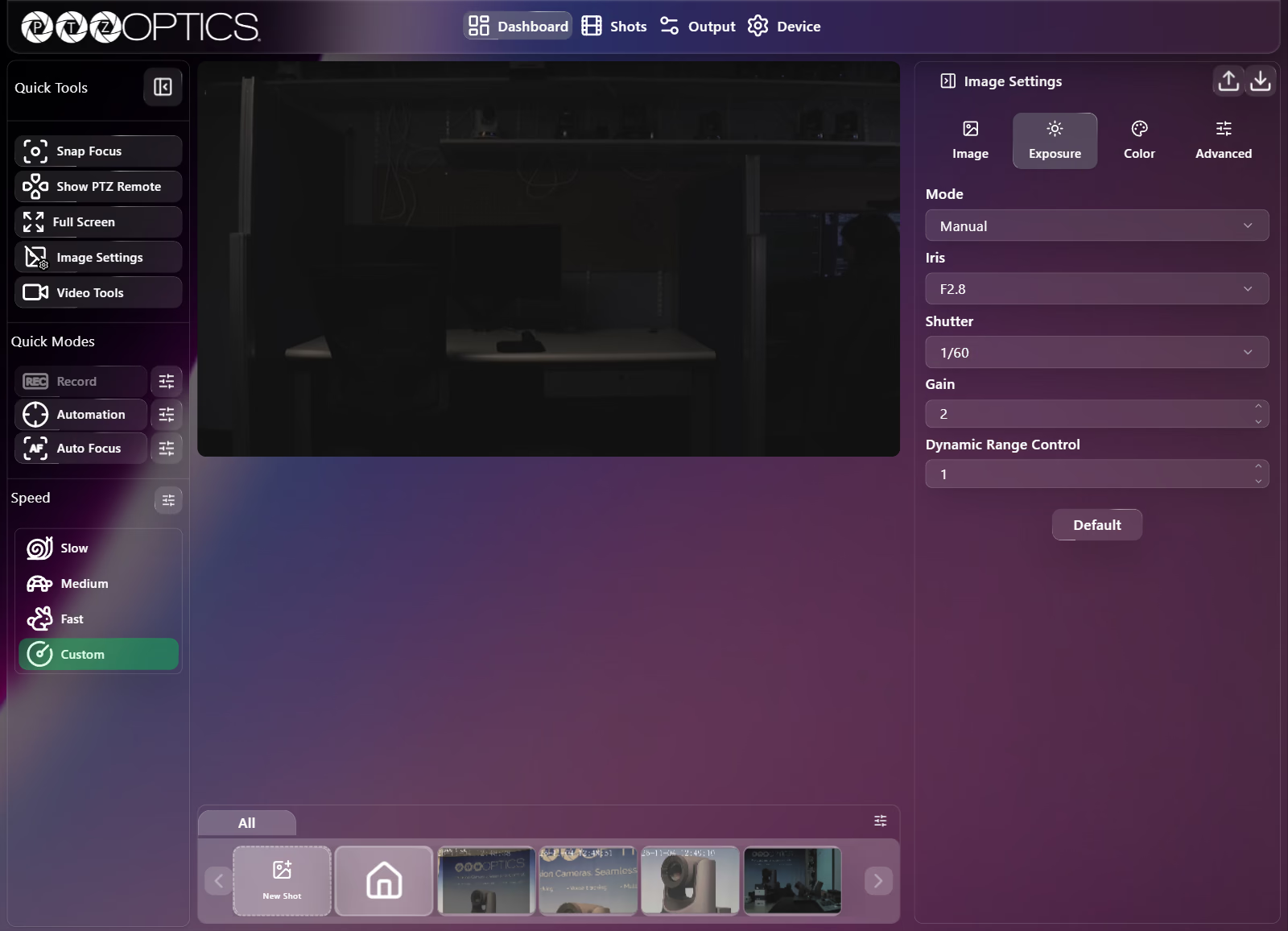
Manual | Iris, Shutter, Gain, Dynamic Range Control |
SAE (Shutter Priority) | Gain Limit, Meter Region, Shutter, Dynamic Range Control |
AAE (Aperture Priority) | Gain Limit, Meter Region, Antiflicker, Iris, Dynamic Range Control |
Bright | Brightness, Gain Limit, Meter Region, Antiflicker, Dynamic Range Control |
Exposure Controls Reference
| Setting | Visible In | Control | Range or Options |
|---|---|---|---|
| Compensation mode | Auto | Switch | On, Off |
| Compensation level | Auto (enabled when Compensation mode is On) | Slider with number field | -7 to 7 |
| Backlight | Auto | Switch | On, Off |
| Brightness | Bright | Slider with number field | 0 to 14 |
| Gain Limit | Auto, SAE, AAE, Bright | Slider with number field | 0 to 10 |
| Meter Region | Auto, SAE, AAE, Bright | Dropdown | Center, Average, Smart, Top |
| Antiflicker | Auto, AAE, Bright | Dropdown | Off, 50Hz, 60Hz |
| Iris | Manual, AAE | Dropdown | Close, F11.0, F9.6, F8.0, F6.8, F5.6, F4.8, F4.0, F3.4, F2.8 |
| Shutter | Manual, SAE | Dropdown | Frame-rate dependent (see table below) |
| Gain | Manual | Slider with number field | 0 to 10 |
| Dynamic Range Control | All modes | Slider with number field | 0 to 8 |
Available Shutter speeds depend on the camera's active Output Resolution frame rate:
| Video Formats | Available Shutter Speeds |
|---|---|
60 / 59.94 / 30 / 29.97 Hz2160/60p, 2160/59.94p, 2160/30p, 2160/29.97p1080/60p, 1080/59.94p, 1080/30p, 1080/29.97p1080/60i, 1080/59.94i720/60p, 720/59.94p | 1/30, 1/60, 1/90, 1/100, 1/125, 1/180, 1/250, 1/350, 1/500, 1/725, 1/1000, 1/1500, 1/2000, 1/3000, 1/4000, 1/6000, 1/10000 |
50 / 25 Hz2160/50p, 2160/25p1080/50p, 1080/25p1080/50i | 1/25, 1/50, 1/75, 1/100, 1/120, 1/150, 1/250, 1/350, 1/500, 1/725, 1/1000, 1/1500, 1/2000, 1/3000, 1/4000, 1/6000, 1/10000 |
24 / 23.98 Hz2160/24p, 2160/23.98p1080/24p, 1080/23.98p | 1/24, 1/48, 1/96, 1/100, 1/120, 1/144, 1/250, 1/350, 1/500, 1/725, 1/1000, 1/1500, 1/2000, 1/3000, 1/4000, 1/6000, 1/10000 |
Color Tab
White Balance Modes
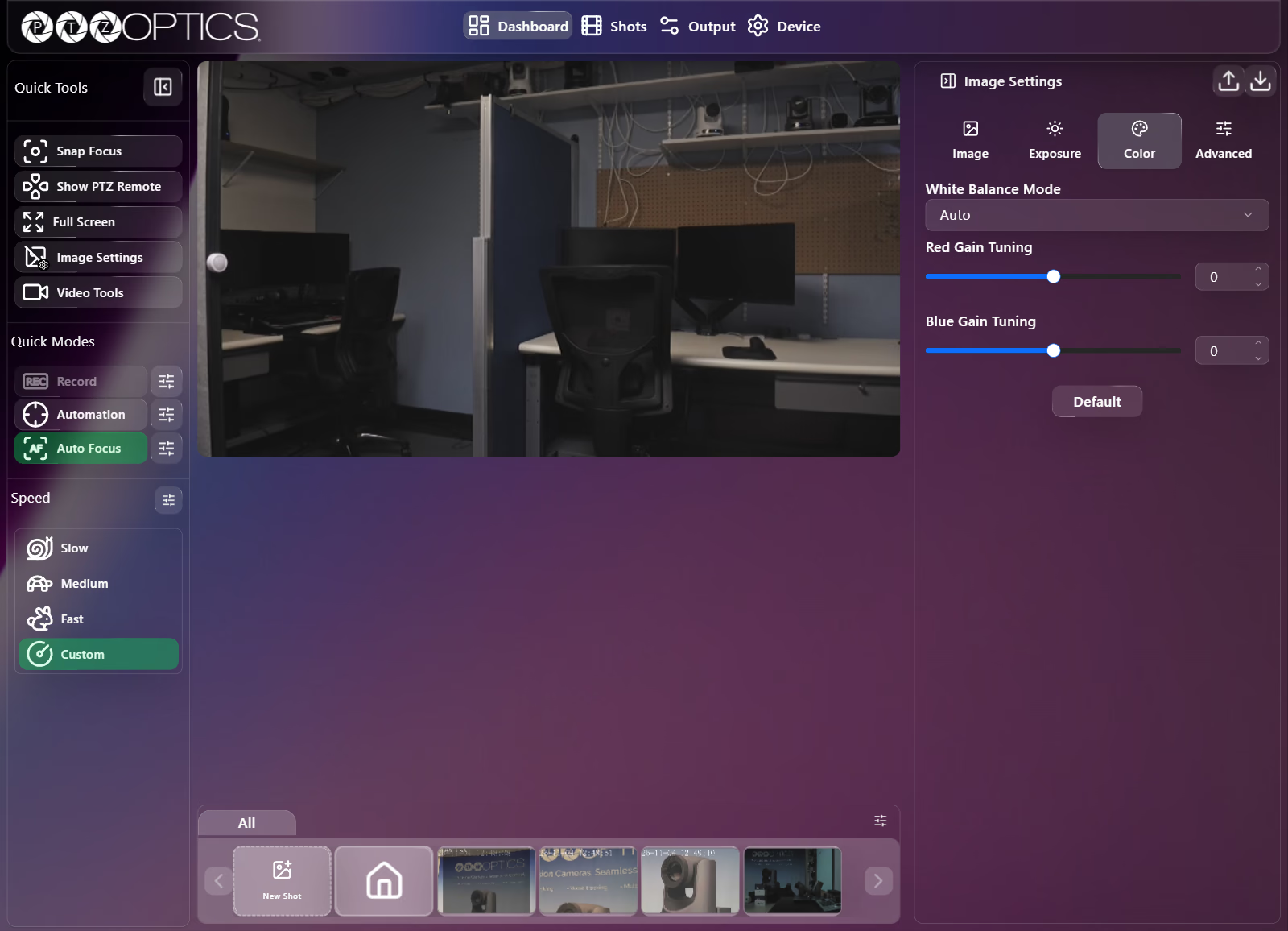
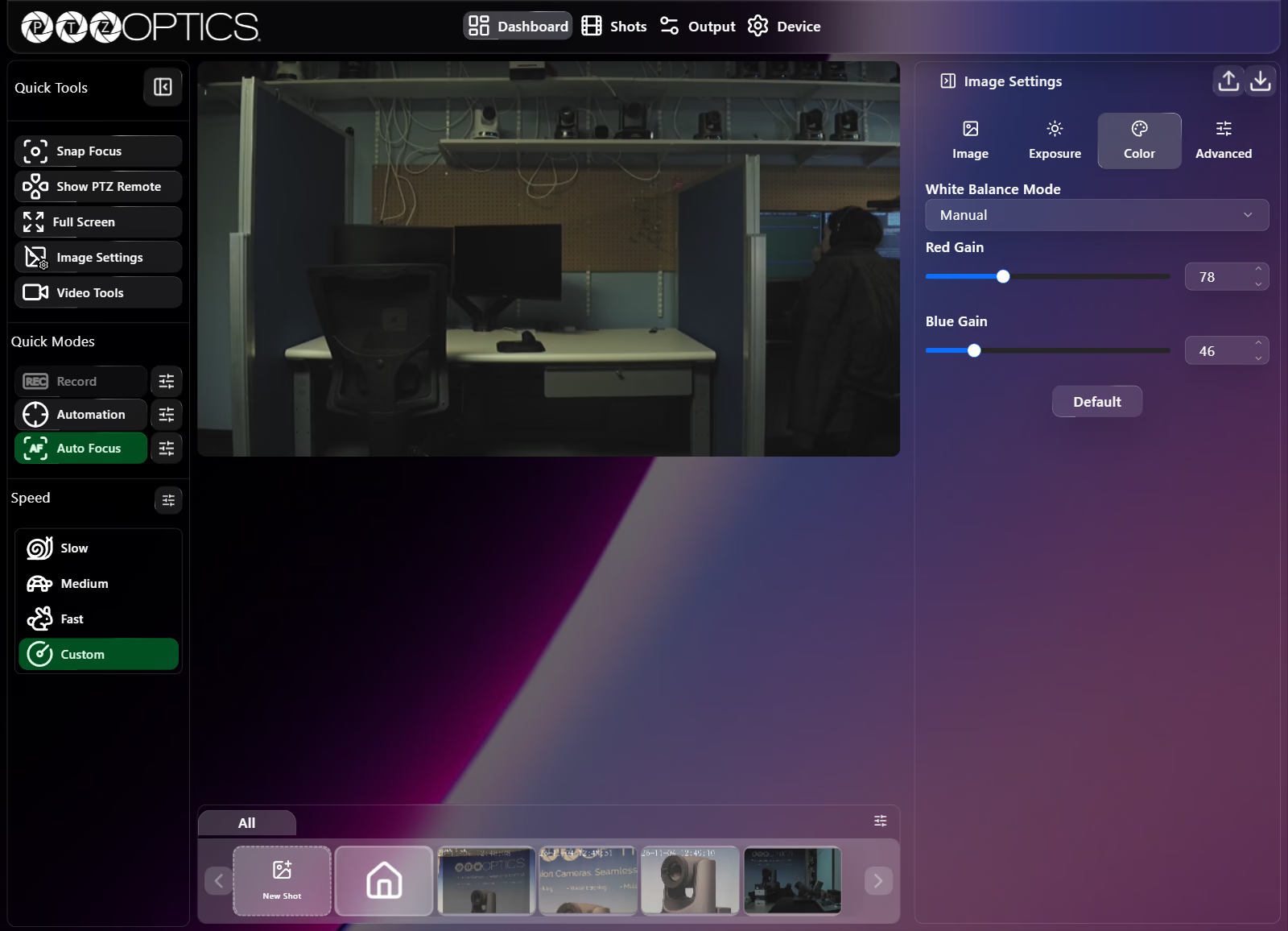
White Balance Mode offers six modes that determine which color controls appear:
| Mode | Controls Shown |
|---|---|
Auto | Red Gain Tuning, Blue Gain Tuning |
Indoor | None (fixed indoor preset) |
Outdoor | None (fixed outdoor preset) |
Manual | Red Gain, Blue Gain |
OnePush | One push Trigger button, Red Gain Tuning, Blue Gain Tuning |
VAR | Red Gain Tuning, Blue Gain Tuning, Color Temperature |
Color Controls Reference
| Setting | Visible In | Control | Range or Options |
|---|---|---|---|
| Red Gain Tuning | Auto, OnePush, VAR | Slider with number field | -10 to 10 |
| Blue Gain Tuning | Auto, OnePush, VAR | Slider with number field | -10 to 10 |
| Red Gain | Manual | Slider with number field | 0 to 255 |
| Blue Gain | Manual | Slider with number field | 0 to 255 |
| One push Trigger | OnePush | Button | Calibrates white balance once against the current scene. |
| Color Temperature | VAR | Dropdown | 2000K to 15000K in 100K increments |
Advanced Tab
| Setting | Control | Options |
|---|---|---|
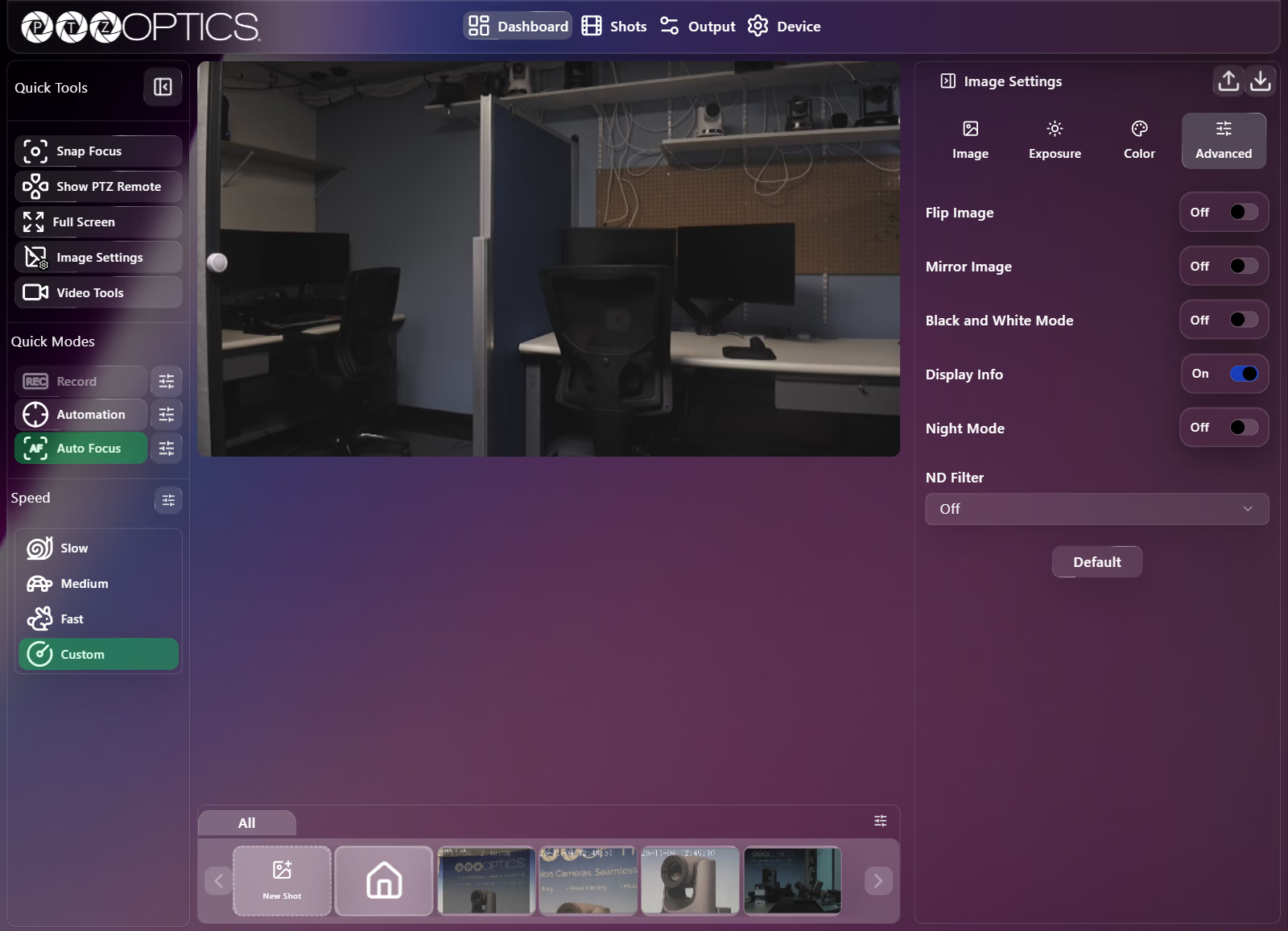
| Flip Image | Switch | On, Off (vertical inversion) |
| Mirror Image | Switch | On, Off (horizontal inversion) |
| Black and White Mode | Switch | On, Off |
| Display Info | Switch | On, Off |
| Night Mode | Switch | On, Off |
| ND Filter | Dropdown | Off, 1/4, 1/16, 1/64 |