Device: Network
Device > Network configures IP addressing, fallback networking, Network Time Protocol (NTP), and camera control ports across three tabs: LAN, NTP, and Ports. For network discovery methods, see Networking.
Changing the camera's IP address, subnet mask, gateway, or HTTP port changes how your browser and production software reach the camera. Confirm the new address and make sure you can access that subnet before selecting Apply.
LAN
The LAN tab configures IPv4 addressing and DHCP fallback behavior.
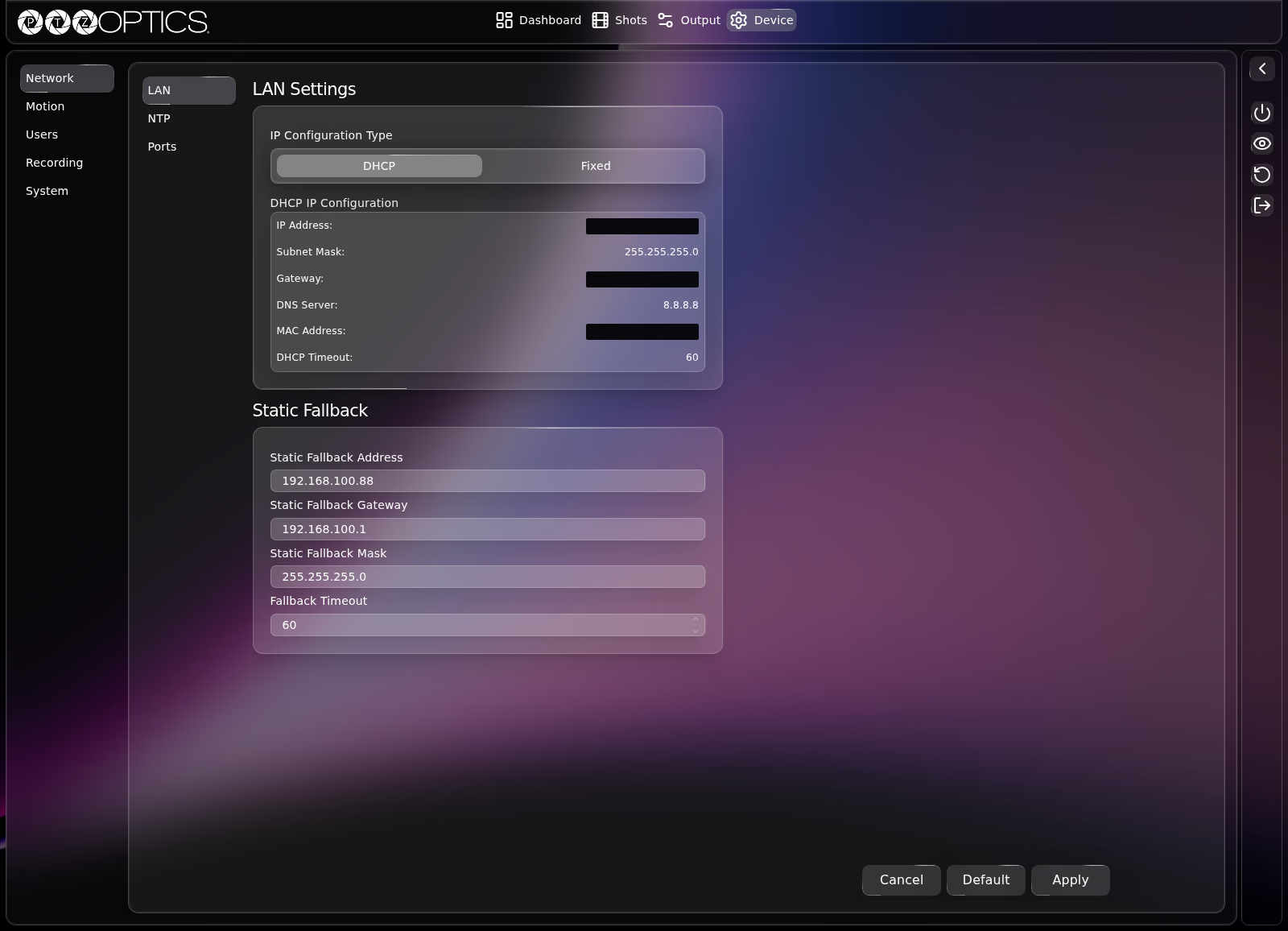
DHCP and Fixed IP Configuration
IP Configuration Type switches between DHCP and Fixed:
| Mode | Fields Shown |
|---|---|
DHCP | Read-only DHCP IP Configuration table displaying the assigned IP Address, Subnet Mask, Gateway, DNS Server, MAC Address, and DHCP Timeout, plus the Static Fallback card below. |
Fixed | Editable fields for Server (the camera's static IPv4 address), Subnet Mask, Gateway, DNS Address, and Secondary DNS Address, plus read-only MAC Address (hides Static Fallback). |
Static Fallback
Shown while IP Configuration Type is set to DHCP, allowing the camera to assign itself a known fallback IPv4 address if no DHCP server responds before the timeout expires:
| Setting | Control | Description |
|---|---|---|
| Static Fallback Address | Text field | Fallback IPv4 address used if DHCP times out. |
| Static Fallback Gateway | Text field | Fallback gateway IPv4 address. |
| Static Fallback Mask | Text field | Fallback subnet mask. |
| Fallback Timeout | Number field | Seconds to wait for DHCP before applying the fallback address. |
NTP
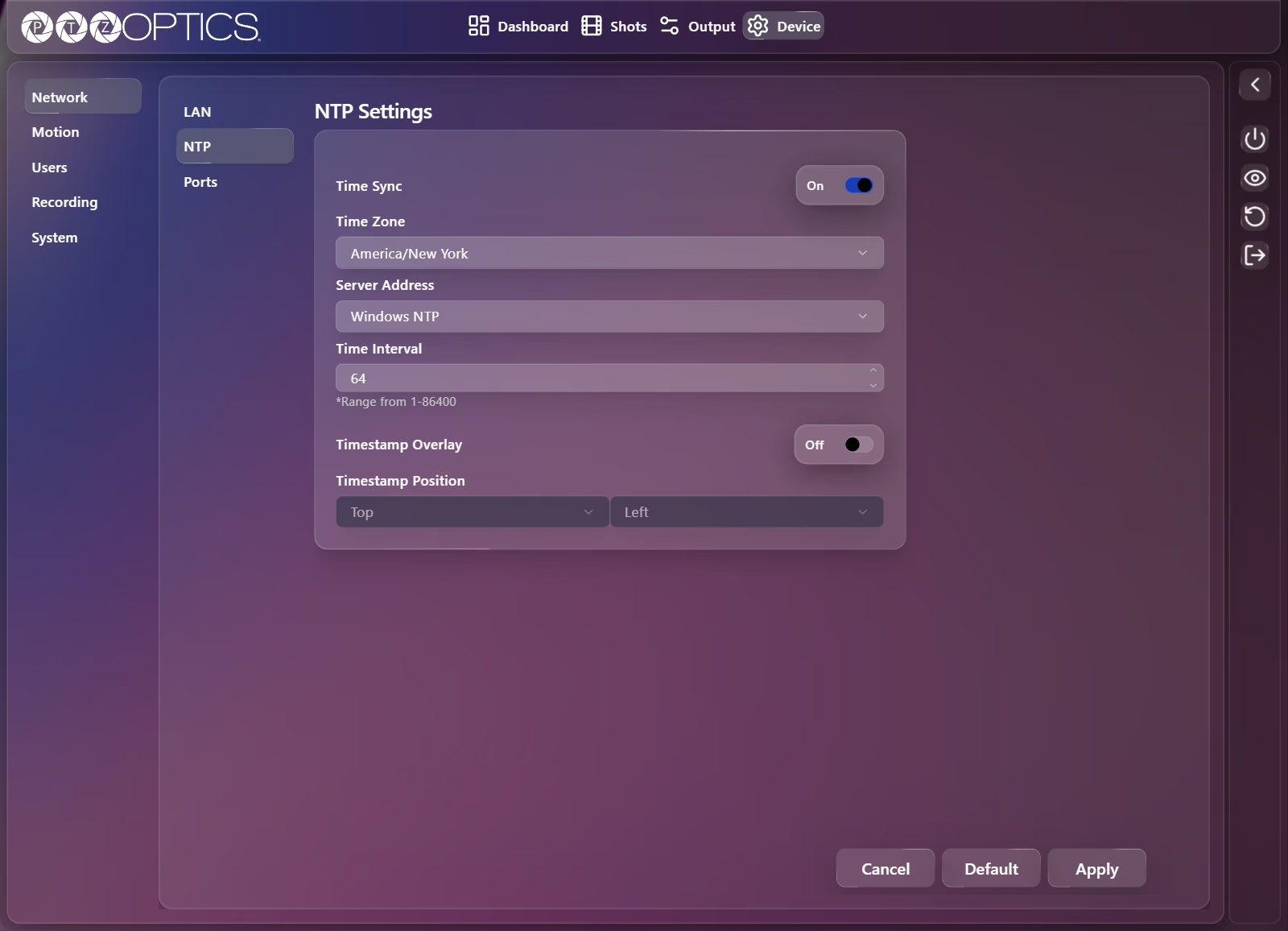
The NTP tab synchronizes the camera's internal clock and optional video timestamp overlay. Applying NTP changes flags Reboot in the Device Sidebar when a restart is required.
Time Sync must be set to On for API tokens created under Device: Users to validate expiration timestamps reliably.
| Setting | Control | Range or Options |
|---|---|---|
| Time Sync | Switch | On, Off (when Off, Time Zone and Server Address are disabled) |
| Time Zone | Dropdown | 113 IANA time zones from Africa/Abidjan to Pacific/Tarawa |
| Server Address | Dropdown | Windows NTP (time.windows.com), Mac NTP (time.apple.com), Custom |
| Custom Server Address | Text field | Shown only when Server Address is set to Custom (placeholder Enter Custom Server) |
| Time Interval | Number field | 1 to 86400 seconds |
| Timestamp Overlay | Switch | On, Off (overlays the current date and time on the video output) |
| Timestamp Position | Two dropdowns | Vertical dropdown: Top, Bottom. Horizontal dropdown: Left, Center, Right. |
Ports
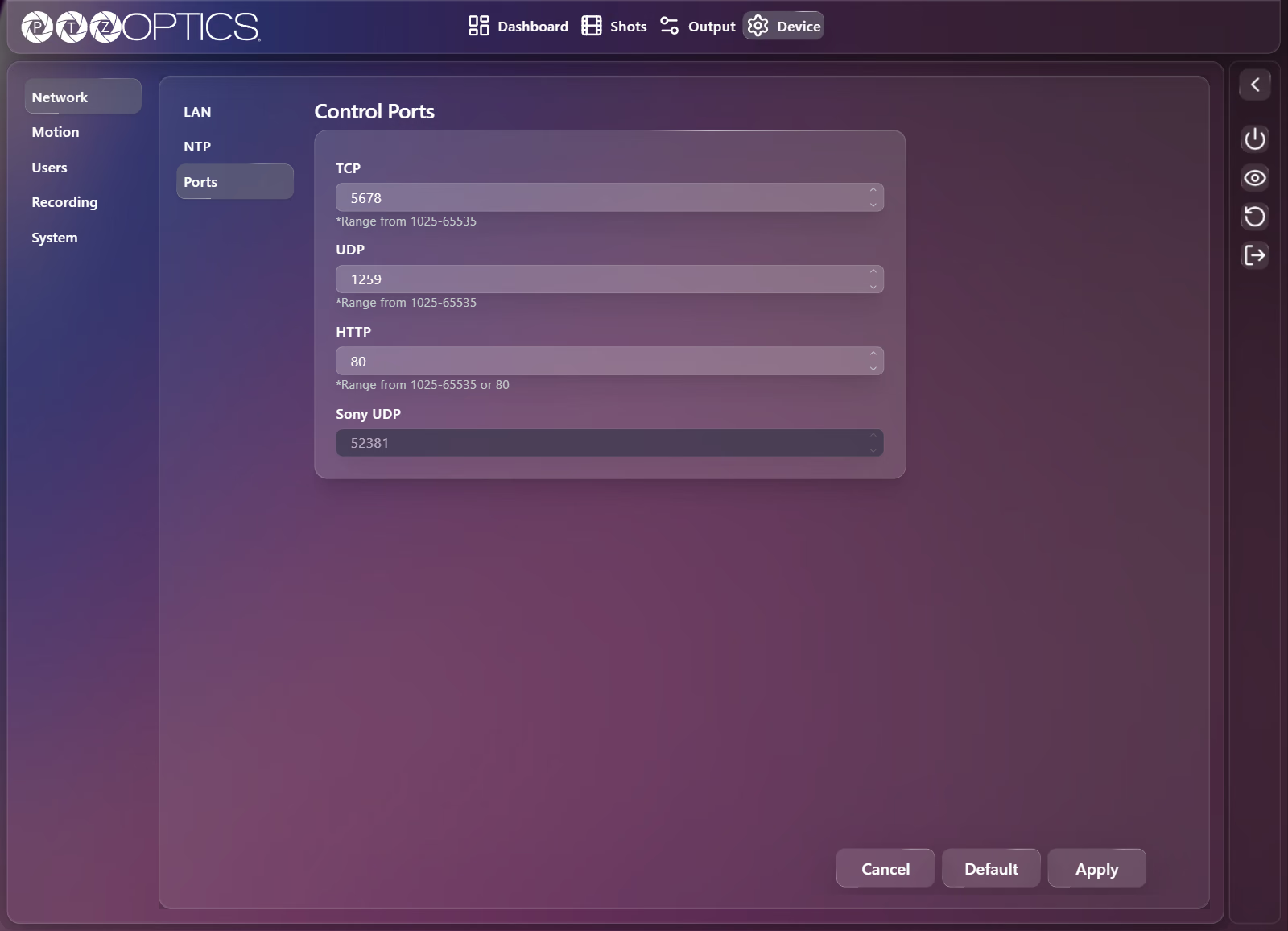
The Ports tab configures the network ports used for IP camera control and web access. For hardware and software controller setup, see Control Options.
| Setting | Control | Range or Default |
|---|---|---|
| TCP | Number field | 1025 to 65535 (default 5678, used for VISCA over TCP) |
| UDP | Number field | 1025 to 65535 (default 1259, used for VISCA over IP / UDP) |
| HTTP | Number field | 80, or 1025 to 65535 |
| Sony UDP | Read-only number field | 52381 |